
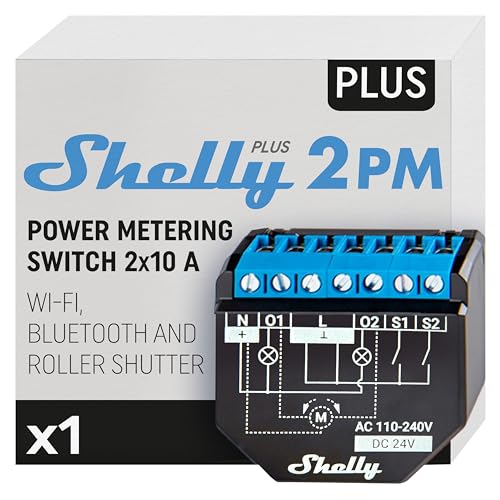
Zweikanal-Relais mit Verbrauchsmessung, das auch Rollläden mit Positionsangabe fährt.
Kompatibel mit Home Assistant, ioBroker, Homey, openHAB und Homebridge.
- Hersteller
- Shelly
- Modell
- SNSW-102P16EU
- Modell-ID
- ShellyPlus2PM
- Stromversorgung
- Netzbetrieb
- Rolle
- Endgerät
Wo kaufen
Shelly
Shelly WLAN 2 Plus 2PM Smarter Schalter mit Stromverbrauchsmessung, 2 Kanäle, WLAN, kompatibel mit Google Home und Alexa
2 Angebote
| Shop | Angebot | Preis | Versand | Lieferzeit | Zum Shop |
|---|---|---|---|---|---|

|
Shelly Plus 2PM | WLAN 2 Kanäle Smart Relais Schalter | Rolladenschalter mit Stromverbrauchsmessung | Hausautomation | Google Home Alexa Zubehör | iOS Android App | Preis nicht aktuell | Nur noch 2 auf Lager | Aktuellen Preis ansehen bei Amazon.de | |

|
SHELLY WLAN-Schaltaktor Plus 2PM, 2x 10 A, Bluetooth | Preis nicht aktuell | Verfügbarkeit unbekannt | Aktuellen Preis ansehen bei Pollin.de |
Anzeige * Affiliate-Link: Kaufst du über diesen Link, erhalten wir eine Provision. Für dich entstehen keine Mehrkosten.
Als Amazon-Partner verdiene ich an qualifizierten Verkäufen.
Im Rollladenmodus kalibriert sich das Gerät auf die Laufzeit und meldet danach die Position in Prozent. Die lokale API bleibt in beiden Betriebsarten verfügbar.
Kompatibilität
WLAN
| Integration | Status | Seit | Hinweise |
|---|---|---|---|
| Home Assistant | Läuft | 2022.7 |
— |
| Homebridge | Läuft | — | — |
Zigbee
| Integration | Status | Seit | Hinweise |
|---|---|---|---|
| ioBroker | Läuft | — | — |
| HMY Homey | Läuft | — | — |
| openHAB | Läuft | — | — |
Etwas falsch oder unvollständig? Erfahrung melden
Einrichtung & Anlernen
- Go to Settings → Devices & services → Add integration and search for Shelly.
- Follow the config flow – devices on the same network are usually discovered automatically.
- Install and open the matching adapter instance (Zigbee, Z-Wave, Matter, BLE …).
- Start the pairing mode of the adapter and put Shelly Plus 2PM into pairing mode: Über den Shelly-Access-Point oder per Bluetooth in der Shelly-App einrichten.
- The states show up under
iobroker.0.<device>.
- Install the app of the manufacturer from the Homey App Store.
- Add the device via Devices → + → Shelly.
- Put Shelly Plus 2PM into pairing mode: Über den Shelly-Access-Point oder per Bluetooth in der Shelly-App einrichten.
- Install the matching binding and open Settings → Things → +.
- Start the discovery scan and put Shelly Plus 2PM into pairing mode: Über den Shelly-Access-Point oder per Bluetooth in der Shelly-App einrichten.
- Link the channels of the new Thing to items.
- Install the matching plugin from the Homebridge UI (search for Shelly).
- Enter the credentials or local key of Shelly Plus 2PM and restart Homebridge.
Alternativen
Dieselbe Aufgabe von anderen Herstellern – Geräte desselben Typs und Funkstandards, die ebenfalls mit Home Assistant laufen.
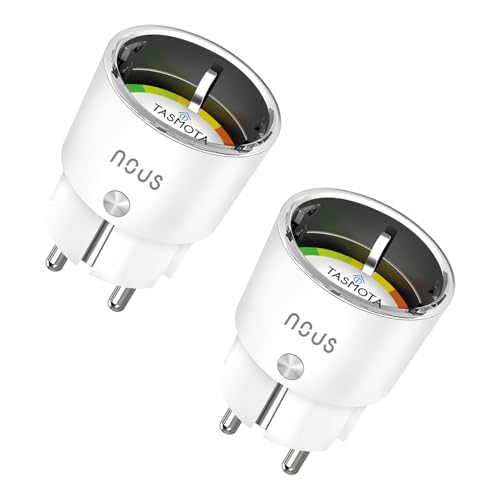
NOUS A1T WLAN-Steckdose (Tasmota)
A1TPreiswerte Steckdose mit vorinstalliertem Tasmota und Verbrauchsmessung.
Athom Smart Plug V2 (Tasmota)
PG05ESP32-Steckdose, die ab Werk mit Tasmota oder ESPHome kommt – ohne Cloud.
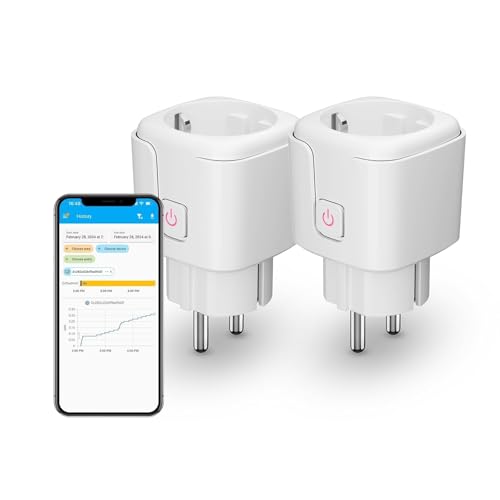
Third Reality Zigbee Smart Plug
3RSP02028BZKompakte Zwischensteckdose mit Verbrauchsmessung, die zugleich als Zigbee-Router dient.
Eve Energy (Matter)
10EBS8351Thread-Zwischenstecker mit Verbrauchsmessung und eingebautem Thread-Router.