
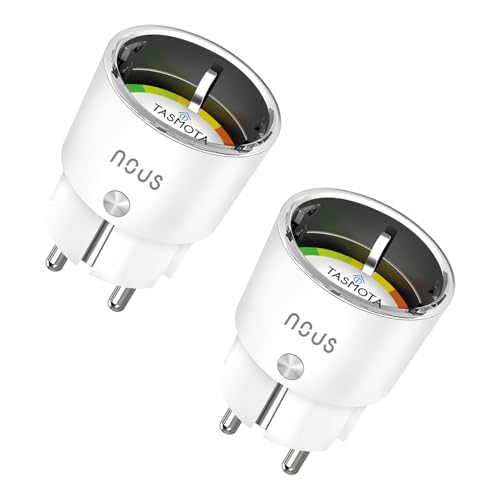
Preiswerte Steckdose mit vorinstalliertem Tasmota und Verbrauchsmessung.
Kompatibel mit Home Assistant, Tasmota, ioBroker und openHAB. Teilweise unterstützt: ESPHome.
- Hersteller
- NOUS
- Modell
- A1T
- Stromversorgung
- Netzbetrieb
- Rolle
- Endgerät
Wo kaufen
NOUS
NOUS A1T Smarte Steckdose mit ESP8266, Stromverbrauch, Timer, kompatibel mit Alexa, Google Home Assistant
1 Angebot
| Shop | Angebot | Preis | Versand | Lieferzeit | Zum Shop |
|---|---|---|---|---|---|

|
Tasmota Socket NOUS A1T, Smallest WiFi ESP8266 Smart Plug, 10A Mini WiFi Sockets with Power Consumption, Electricity Meter, Timer, Compatible with Alexa, Google Home Assistant, Domoticz, MQTT, 2.4G | Preis nicht aktuell | Auf Lager | Aktuellen Preis ansehen bei Amazon.de |
Anzeige * Affiliate-Link: Kaufst du über diesen Link, erhalten wir eine Provision. Für dich entstehen keine Mehrkosten.
Als Amazon-Partner verdiene ich an qualifizierten Verkäufen.
Die A1T wird mit Tasmota ausgeliefert und meldet Leistung, Energie, Spannung und Strom. Home Assistant erkennt sie über die MQTT-Discovery automatisch.
Kompatibilität
WLAN
| Integration | Status | Seit | Hinweise |
|---|---|---|---|
| Home Assistant | Läuft | — | — |
| ESPHome | Teilweise | — | Nur nach dem Umflashen. |
Zigbee
| Integration | Status | Seit | Hinweise |
|---|---|---|---|
| Tasmota | Läuft | — | — |
| ioBroker | Läuft | — | — |
| openHAB | Läuft | — | — |
Etwas falsch oder unvollständig? Erfahrung melden
Einrichtung & Anlernen
- Go to Settings → Devices & services → Add integration and search for NOUS.
- Follow the config flow – devices on the same network are usually discovered automatically.
- Flash Tasmota (see the device template) or open the console of your Zigbee bridge.
- Run
ZbPermitJoin 1and put NOUS A1T WLAN-Steckdose (Tasmota) into pairing mode: Ab Werk mit Tasmota; WLAN über das Captive Portal des Geräts einrichten. - Apply the device template and set the MQTT topic; entities are discovered by Home Assistant automatically.
- Install and open the matching adapter instance (Zigbee, Z-Wave, Matter, BLE …).
- Start the pairing mode of the adapter and put NOUS A1T WLAN-Steckdose (Tasmota) into pairing mode: Ab Werk mit Tasmota; WLAN über das Captive Portal des Geräts einrichten.
- The states show up under
iobroker.0.<device>.
- Install the matching binding and open Settings → Things → +.
- Start the discovery scan and put NOUS A1T WLAN-Steckdose (Tasmota) into pairing mode: Ab Werk mit Tasmota; WLAN über das Captive Portal des Geräts einrichten.
- Link the channels of the new Thing to items.
- Create a new ESPHome configuration and add the component for NOUS A1T WLAN-Steckdose (Tasmota).
- Flash the device (serial for the first time, OTA afterwards).
- Home Assistant discovers the node automatically via mDNS.
Alternativen
Dieselbe Aufgabe von anderen Herstellern – Geräte desselben Typs und Funkstandards, die ebenfalls mit Home Assistant laufen.
Athom Smart Plug V2 (Tasmota)
PG05ESP32-Steckdose, die ab Werk mit Tasmota oder ESPHome kommt – ohne Cloud.
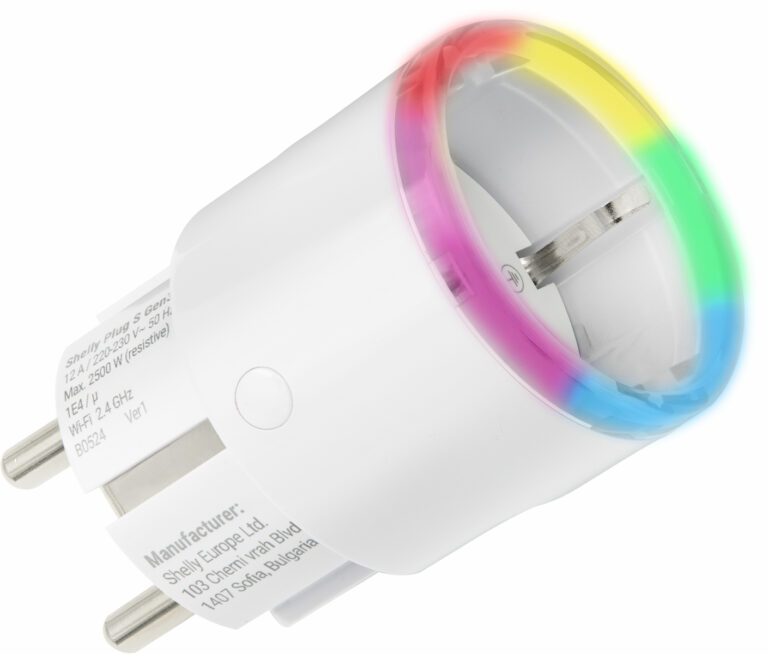
Shelly Plug S
SHPLG-SKompakter WLAN-Zwischenstecker mit Verbrauchsmessung und lokaler Steuerung.
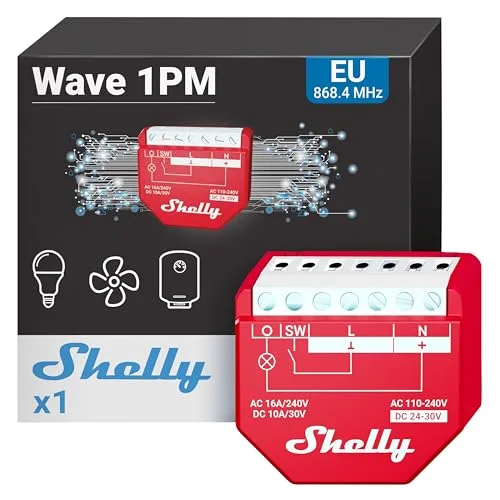
Shelly Wave 1PM
Wave 1PMZ-Wave-800-Relais mit Verbrauchsmessung in sehr kleinem Gehäuse.
SONOFF MINI PM
MINI PMSONOFF MINI PM is a Matter device. Home Assistant controls it through the Matter integration.