
Eine der ersten Matter-over-Thread-Farblampen – erweitert nebenbei das Thread-Netz.
Kompatibel mit Home Assistant, Matter (Home Assistant), Apple Home, Google Home, Amazon Alexa, SmartThings und Homey. Teilweise unterstützt: openHAB.
- Hersteller
- Nanoleaf
- Modell
- NL45-0800WT240E27
- Modell-ID
- NL45
- Stromversorgung
- Netzbetrieb
- Rolle
- Router / Repeater
Multi-Admin funktioniert zuverlässig: Einmal koppeln und anschließend aus der App des ersten Systems einen weiteren Kopplungscode für das zweite System erzeugen.
Kompatibilität
WLAN
| Integration | Status | Seit | Hinweise |
|---|---|---|---|
| Home Assistant | Läuft | — | über Matter (Home Assistant) |
Matter
| Integration | Status | Seit | Hinweise |
|---|---|---|---|
| Matter (Home Assistant) | Läuft | 2023.5 |
— |
| Apple Home | Läuft | — | — |
| Google Home | Läuft | — | — |
| Amazon Alexa | Läuft | — | — |
Zigbee
| Integration | Status | Seit | Hinweise |
|---|---|---|---|
| SmartThings | Läuft | — | — |
| HMY Homey | Läuft | — | — |
| openHAB | Teilweise | 4.2 |
— |
Etwas falsch oder unvollständig? Erfahrung melden
Einrichtung & Anlernen
- Go to Settings → Devices & services → Add integration and search for Nanoleaf.
- Follow the config flow – devices on the same network are usually discovered automatically.
- Install the Matter Server add-on and add the Matter integration.
- For Thread devices make sure a border router (Home Assistant Connect ZBT-1, Apple TV, Nest Hub …) is online.
- Scan the Matter QR code / enter the 11 digit setup code of Nanoleaf Essentials Matter Lampe A19.
- Multi-admin: share the device from another ecosystem to get a new pairing code.
- Open the Home app → + → Add accessory.
- Scan the Matter/HomeKit code of Nanoleaf Essentials Matter Lampe A19.
- A HomePod or Apple TV is required as a hub and Thread border router.
- Open the Google Home app → + → Set up device.
- Scan the Matter code of Nanoleaf Essentials Matter Lampe A19 or link the manufacturer account.
- A Nest Hub (2nd gen) or Nest Wifi Pro acts as hub and Thread border router.
- Open the Alexa app → Devices → + → Add device.
- Choose Matter and scan the code, or enable the Nanoleaf skill.
- In the SmartThings app tap + → Device → Scan nearby.
- Put Nanoleaf Essentials Matter Lampe A19 into pairing mode: Matter-QR-Code von der Verpackung scannen; die Lampe arbeitet im Betrieb als Thread-Router.
- Pick the matching Edge driver if the device is not detected automatically.
- Install the app of the manufacturer from the Homey App Store.
- Add the device via Devices → + → Nanoleaf.
- Put Nanoleaf Essentials Matter Lampe A19 into pairing mode: Matter-QR-Code von der Verpackung scannen; die Lampe arbeitet im Betrieb als Thread-Router.
- Install the matching binding and open Settings → Things → +.
- Start the discovery scan and put Nanoleaf Essentials Matter Lampe A19 into pairing mode: Matter-QR-Code von der Verpackung scannen; die Lampe arbeitet im Betrieb als Thread-Router.
- Link the channels of the new Thing to items.
Alternativen
Dieselbe Aufgabe von anderen Herstellern – Geräte desselben Typs und Funkstandards, die ebenfalls mit Home Assistant laufen.
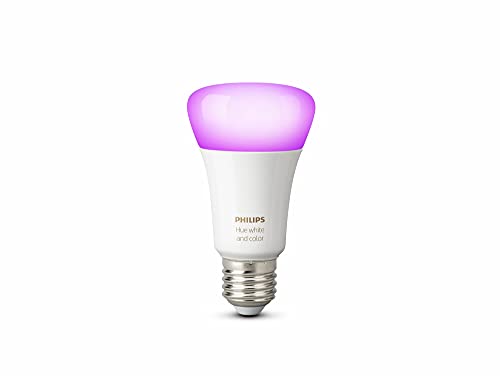
Philips Hue White and Color Ambiance E27
9290022166Farblampe mit vorbildlichem Zigbee-Verhalten – über die Hue Bridge auch für Matter-Controller erreichbar.
IKEA of Sweden KAJPLATS E27 WS globe 470lm
KAJPLATS E27 WS globe 470lmIKEA of Sweden KAJPLATS E27 WS globe 470lm is a Matter device that talks over Thread – a Thread border router is needed.…
Dresden Elektronik FLS-M Universal LED controller (dynamic endpoints)
FLS-MDresden Elektronik FLS-M Universal LED controller (dynamic endpoints) is a Matter device. Home Assistant controls it thr…
Govee Floor Lamp
Govee Floor LampGovee Floor Lamp is a Matter device. Home Assistant controls it through the Matter integration.