
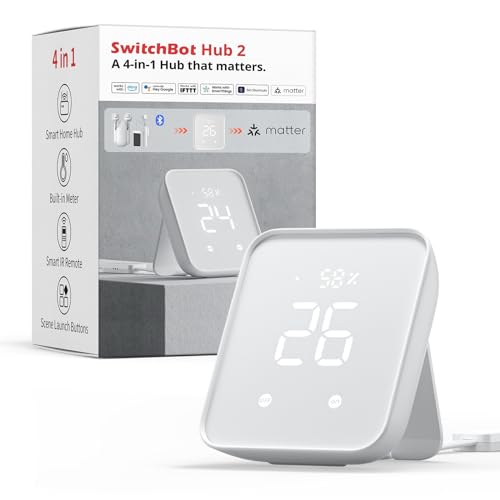
Bridge für SwitchBot-Geräte mit Temperatur- und Feuchtesensor, IR-Fernbedienung und Matter-Anbindung.
Kompatibel mit Home Assistant. Teilweise unterstützt: Matter (Home Assistant), Apple Home, Google Home und Amazon Alexa.
- Hersteller
- SwitchBot
- Modell
- W3202100
- Stromversorgung
- USB
- Rolle
- Bridge / Gateway
Wo kaufen
SwitchBot
SwitchBot Hub 2 Klimasensor mit WLAN, Smart IR Fernbedienung, kompatibel mit Alexa, Google Assistant, Siri und Matter
2 Angebote
| Shop | Angebot | Preis | Versand | Lieferzeit | Zum Shop |
|---|---|---|---|---|---|

|
Bestpreis SwitchBot Hub 2 | 44,85 € | Versand 4,99 € Gesamt 49,84 € | 6-8 Days | Zum Angebot bei Proshop.de |

|
SwitchBot Hub 2, WLAN Thermometer Hygrometer, Smart IR Fernbedienung, Klimaanlagensteuerung, verbindet SwitchBot mit WLAN (unterstützt 2,4 GHz), kompatibel mit Alexa, Google Assistant, Siri, Matter | Preis nicht aktuell | Auf Lager | Aktuellen Preis ansehen bei Amazon.de |
Anzeige * Affiliate-Link: Kaufst du über diesen Link, erhalten wir eine Provision. Für dich entstehen keine Mehrkosten.
Preise inkl. MwSt., zzgl. Versandkosten. Stand: Oktober 31, 2026, 2:31 a.m.. Preise und Verfügbarkeit können sich geändert haben.
Als Amazon-Partner verdiene ich an qualifizierten Verkäufen.
Der Hub 2 bindet Bluetooth-Geräte von SwitchBot ins WLAN ein und reicht einen Teil davon per Matter weiter. Temperatur und Luftfeuchte misst er selbst.
Kompatibilität
WLAN
| Integration | Status | Seit | Hinweise |
|---|---|---|---|
| Home Assistant | Läuft | — | Über die SwitchBot-Integration (Cloud oder BLE). |
Matter
| Integration | Status | Seit | Hinweise |
|---|---|---|---|
| Matter (Home Assistant) | Teilweise | — | Nur die per Matter freigegebenen Geräte. |
| Apple Home | Teilweise | — | — |
| Google Home | Teilweise | — | — |
| Amazon Alexa | Teilweise | — | — |
Etwas falsch oder unvollständig? Erfahrung melden
Einrichtung & Anlernen
- Go to Settings → Devices & services → Add integration and search for SwitchBot.
- Follow the config flow – devices on the same network are usually discovered automatically.
- Install the Matter Server add-on and add the Matter integration.
- For Thread devices make sure a border router (Home Assistant Connect ZBT-1, Apple TV, Nest Hub …) is online.
- Scan the Matter QR code / enter the 11 digit setup code of SwitchBot Hub 2.
- Multi-admin: share the device from another ecosystem to get a new pairing code.
- Open the Home app → + → Add accessory.
- Scan the Matter/HomeKit code of SwitchBot Hub 2.
- A HomePod or Apple TV is required as a hub and Thread border router.
- Open the Google Home app → + → Set up device.
- Scan the Matter code of SwitchBot Hub 2 or link the manufacturer account.
- A Nest Hub (2nd gen) or Nest Wifi Pro acts as hub and Thread border router.
- Open the Alexa app → Devices → + → Add device.
- Choose Matter and scan the code, or enable the SwitchBot skill.
Alternativen
Dieselbe Aufgabe von anderen Herstellern – Geräte desselben Typs und Funkstandards, die ebenfalls mit Home Assistant laufen.
jethome CC2538.router.v2 Zigbee-Router
CC2538.router.v2Zigbee-Router von jethome. Kompatibel mit Home Assistant über Zigbee2MQTT, ZHA oder Tasmota. Läuft außerdem mit ioBroker…
Tube’s tubeszb-cc2652-poe-2023 Zigbee-Koordinator
tubeszb-cc2652-poe-2023Zigbee-Koordinator von Tube's. Kompatibel mit Home Assistant über ZHA oder Zigbee2MQTT.
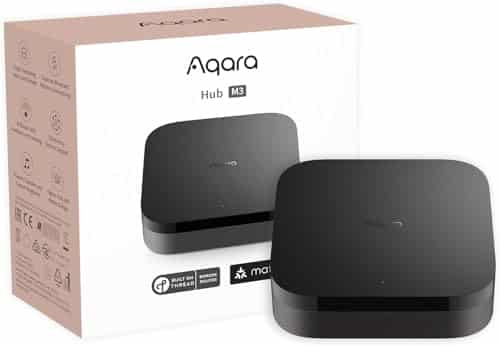
Aqara Hub M3
HM3-G01Zigbee-Hub, der seine Geräte per Matter weiterreicht und zugleich Thread-Border-Router ist.
2 Green Homes ZBR1 Zigbee-Koordinator
ZBR1Zigbee-Koordinator von 2 Green Homes. Kompatibel mit Home Assistant über Zigbee2MQTT oder ZHA. Läuft außerdem mit Domoti…