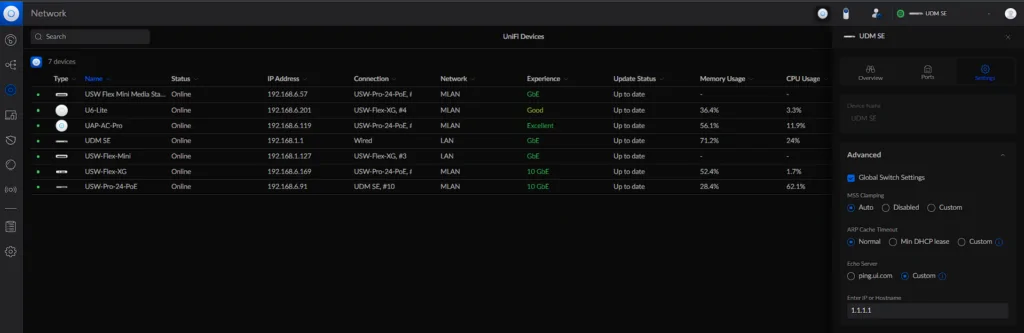
All Unifi consoles have an “Internet Health” display that informs you about connection failures or, for example, packet loss. By default this indicator pings ping.ui.com. This subdomain simply resolves to the DNS services of Cloudflare and Google. If you don’t want these two providers to be contacted, or if the display is incorrect, you can configure a different DNS or remote site. To do this, click on the “Unifi Devices” list and then on the respective Dream Machine. On the tab that opens on the right side of the screen, navigate to “Settings”. There you can enter your own server under “Echo Server”.