
The Internet Control Message Protocol (ICMP) is used in computer networks to exchange information and error messages via the Internet Protocol (IP).
It is also used, for example, to check the availability of network shares.
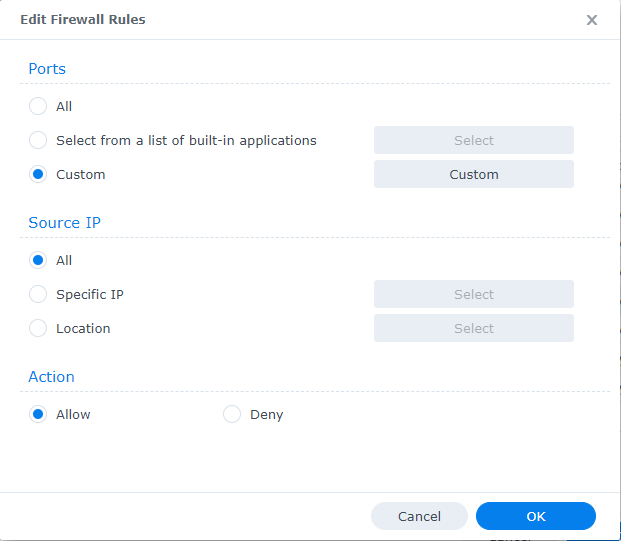
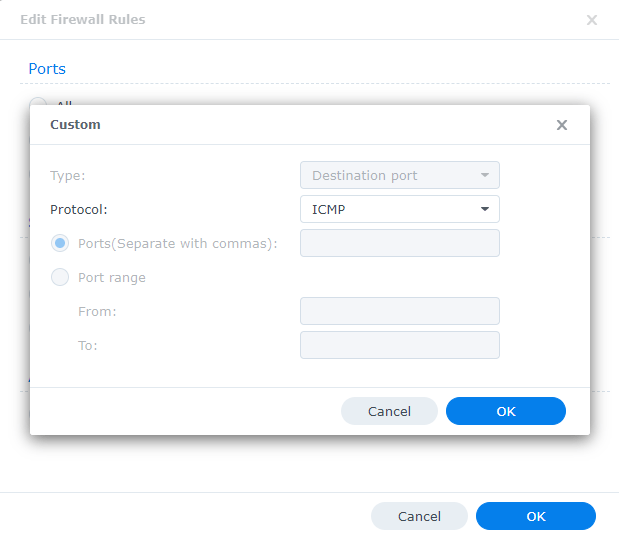
To allow these pings to reach the Synology, we need to create a firewall rule:
Control Panel -> Security -> Firewall -> Edit rules -> Create -> Custom -> Protocol -> ICMP -> Allow -> OK -> OK -> Apply
Now you can ping the NAS again.