
If the computer no longer works, will not start, or crashes shortly after the operating system or a demanding program launches, there is a possibility that a memory module has developed a defect. This can be tested with the free software Memtest86+.
Requirements:
- A FAT32-formatted USB stick
- Windows, Linux or macOS
Create a bootable Memtest86+ stick with Windows
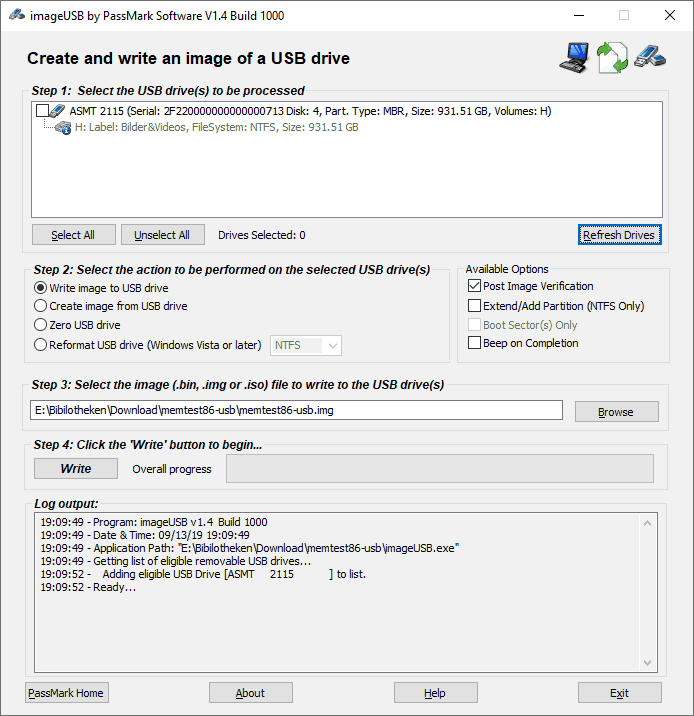
To create a USB stick that boots Memtest86+ directly, download the Windows installer package and unpack it. Then simply start imageUSB.exe. The appropriate USB stick can be selected in the drop-down menu at the top. The other settings can be left as they are. With a click on “Write” the image is written to the USB stick. When the process is finished, the USB stick can be inserted into the computer to be tested.
Create a bootable Memtest86+ stick with Linux
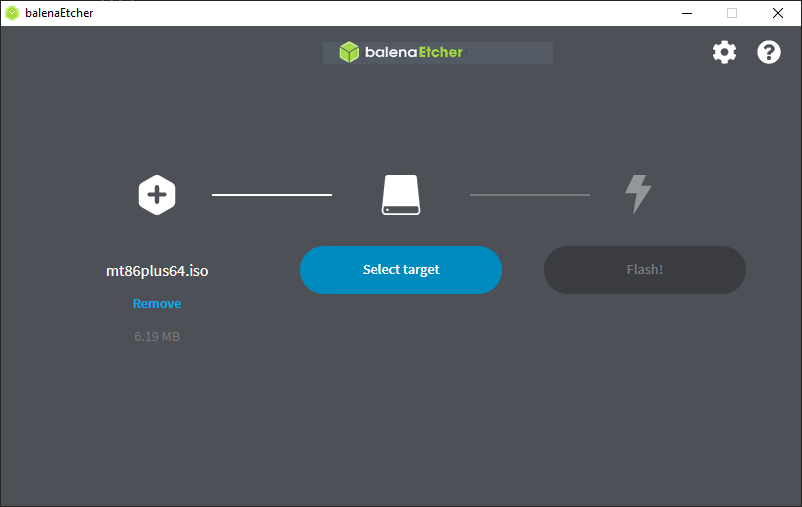
For Linux there is no installer directly from Memtest. However, using the balenaEtcher software, writing the USB stick is just as easy. Simply download balenaEtcher and the Memtest86+ Linux image for 64-bit or 32-bit. All newer devices support 64-bit.
Create a bootable Memtest86+ stick with macOS
For macOS there is no installer directly from Memtest. However, using the balenaEtcher software, writing the USB stick is just as easy. Simply download balenaEtcher and Memtest86+ for macOS.