
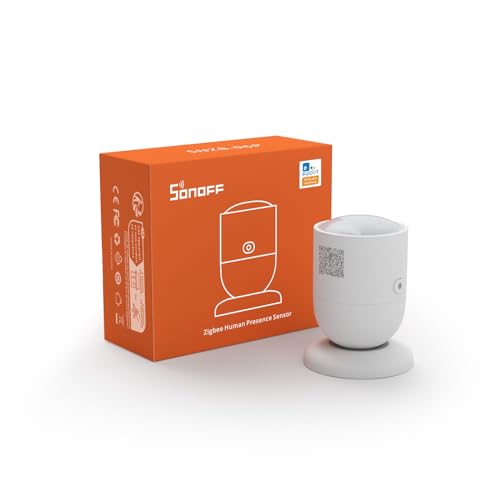
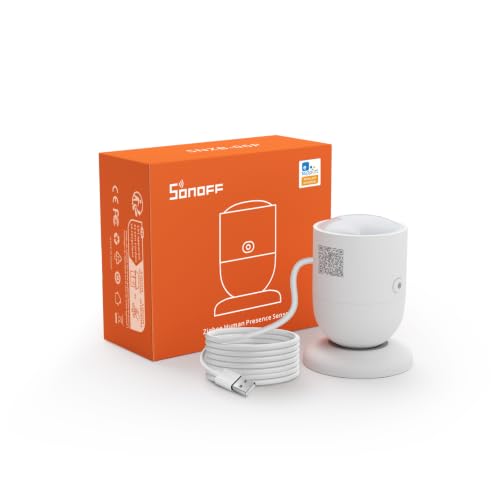
Zigbee-Sensor von Sonoff. Kompatibel mit Home Assistant über Zigbee2MQTT, ZHA oder Tasmota. Läuft außerdem mit Domoticz.
Kompatibel mit Home Assistant, Zigbee2MQTT, ZHA, Tasmota und Domoticz.
- Hersteller
- SONOFF
- Modell
- SNZB-06P
- Modell-ID
- SNZB-06P
Wo kaufen
SONOFF
Sonoff SNZB-06P Sensor
2 Angebote
| Shop | Angebot | Preis | Versand | Lieferzeit | Zum Shop |
|---|---|---|---|---|---|

|
Bestpreis SONOFF SNZB-06P Zigbee 3.0 Menschlicher Präsenzsensor, Menschliche Präsenz Sensor Detektor,5,8 GHz Mikrowellenradar Bewegungssensor,Benötigt Zigbee Hub,Kompatibel mit Alexa,Google Home,Home Assistant Amazon-Bestseller-Rang: Nr. 2.264 |
12,90 €
|
Versand siehe Shop | Auf Lager | Zum Angebot bei Amazon.de |

|
Sonoff SNZB-06P ZigBee Human Presence Sensor | 15,46 € | Versand 4,99 € Gesamt 20,45 € | 1-3 Days | Zum Angebot bei Proshop.de |
Anzeige * Affiliate-Link: Kaufst du über diesen Link, erhalten wir eine Provision. Für dich entstehen keine Mehrkosten.
Preise inkl. MwSt., zzgl. Versandkosten. Stand: Oktober 30, 2026, 3:45 a.m.. Preise und Verfügbarkeit können sich geändert haben.
Als Amazon-Partner verdiene ich an qualifizierten Verkäufen.
Kompatibilität
WLAN
| Integration | Status | Seit | Hinweise |
|---|---|---|---|
| Home Assistant | Läuft | — | über ZHA, Zigbee2MQTT und Tasmota |
Zigbee
| Integration | Status | Seit | Hinweise |
|---|---|---|---|
| Zigbee2MQTT | Läuft | — | — |
| ZHA ZHA | Läuft | — | — |
| Tasmota | Läuft | — | — |
| DOM Domoticz | Läuft | — | — |
Etwas falsch oder unvollständig? Erfahrung melden
Einrichtung & Anlernen
- Go to Settings → Devices & services → Add integration and search for SONOFF.
- Follow the config flow – devices on the same network are usually discovered automatically.
- Open Zigbee2MQTT → Settings → Permit join (or enable joining for a specific coordinator/router).
- Put Sonoff SNZB-06P Sensor into pairing mode: den Reset laut Bedienungsanleitung durchführen (meist die Taste etwa 5 Sekunden halten).
- Watch the Zigbee2MQTT log – the device shows up with the model ID
SNZB-06P. - Rename the device to a friendly name; entities are exposed to MQTT/Home Assistant automatically.
- In Home Assistant go to Settings → Devices & services → ZHA → Add device.
- Put Sonoff SNZB-06P Sensor into pairing mode: den Reset laut Bedienungsanleitung durchführen (meist die Taste etwa 5 Sekunden halten).
- Wait for the interview to finish – the device appears as
SNZB-06P. - If entities are missing, a ZHA quirk may be required (available from HA ).
- Flash Tasmota (see the device template) or open the console of your Zigbee bridge.
- Run
ZbPermitJoin 1and put Sonoff SNZB-06P Sensor into pairing mode: den Reset laut Bedienungsanleitung durchführen (meist die Taste etwa 5 Sekunden halten). - Apply the device template and set the MQTT topic; entities are discovered by Home Assistant automatically.
- Open the matching hardware plugin and start the inclusion.
- Put Sonoff SNZB-06P Sensor into pairing mode: den Reset laut Bedienungsanleitung durchführen (meist die Taste etwa 5 Sekunden halten).
Alternativen
Dieselbe Aufgabe von anderen Herstellern – Geräte desselben Typs und Funkstandards, die ebenfalls mit Home Assistant laufen.
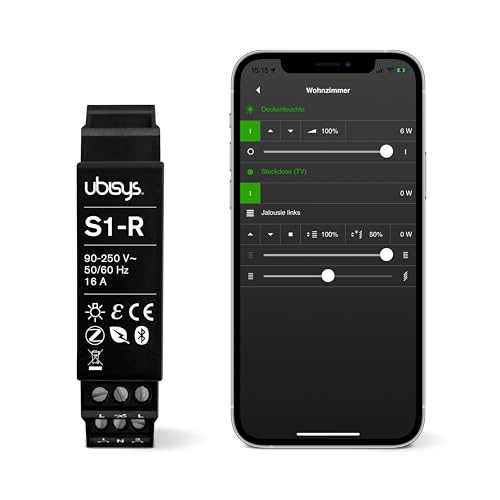
Ubisys S1-R Schalter
S1-RZigbee-Schalter von Ubisys. Kompatibel mit Home Assistant über Zigbee2MQTT oder deCONZ.
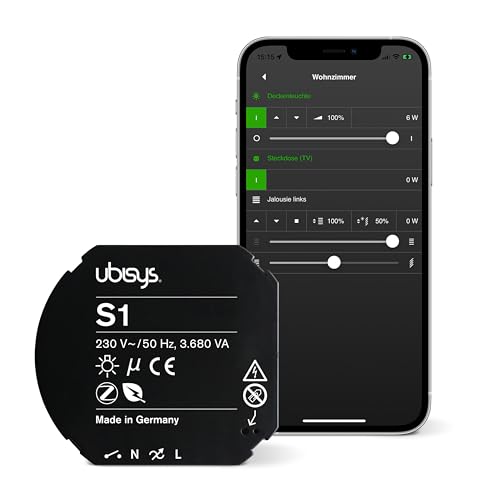
Ubisys S1 Schalter
S1Zigbee-Schalter von Ubisys. Kompatibel mit Home Assistant über Zigbee2MQTT oder deCONZ.
IKEA STYRBAR Fernbedienung
E2001/E2002Vier-Tasten-Fernbedienung, die sich direkt an Lampen binden lässt.
DIY ptvo.switch Schalter
ptvo.switchZigbee-Schalter von DIY. Kompatibel mit Home Assistant über Zigbee2MQTT, deCONZ, Tasmota oder ZHA. Läuft außerdem mit Do…