
Zurück zur Übersicht
Zigbee-Schalter von Orvibo. Kompatibel mit Home Assistant über Zigbee2MQTT.
Kompatibel mit Home Assistant und Zigbee2MQTT.
- Hersteller
- Orvibo
- Modell
- RL804QZB
- Modell-ID
- 82c167c95ed746cdbd21d6817f72c593, 8762413da99140cbb809195ff40f8c51
Kompatibilität
WLAN
| Integration | Status | Seit | Hinweise |
|---|---|---|---|
| Home Assistant | Läuft | — | über Zigbee2MQTT |
Zigbee
| Integration | Status | Seit | Hinweise |
|---|---|---|---|
| Zigbee2MQTT | Läuft | — | — |
Etwas falsch oder unvollständig? Erfahrung melden
Einrichtung & Anlernen
- Go to Settings → Devices & services → Add integration and search for Orvibo.
- Follow the config flow – devices on the same network are usually discovered automatically.
- Open Zigbee2MQTT → Settings → Permit join (or enable joining for a specific coordinator/router).
- Put Orvibo RL804QZB Schalter into pairing mode: den Reset laut Bedienungsanleitung durchführen (meist die Taste etwa 5 Sekunden halten).
- Watch the Zigbee2MQTT log – the device shows up with the model ID
82c167c95ed746cdbd21d6817f72c593. - Rename the device to a friendly name; entities are exposed to MQTT/Home Assistant automatically.
Alternativen
Dieselbe Aufgabe von anderen Herstellern – Geräte desselben Typs und Funkstandards, die ebenfalls mit Home Assistant laufen.
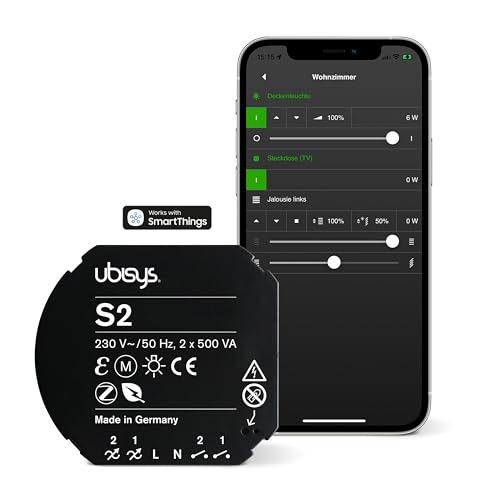
Ubisys S2 Schalter
S2Zigbee-Schalter von Ubisys. Kompatibel mit Home Assistant über Zigbee2MQTT oder deCONZ.
Läuft mit
dCZ
ab 99,00 €
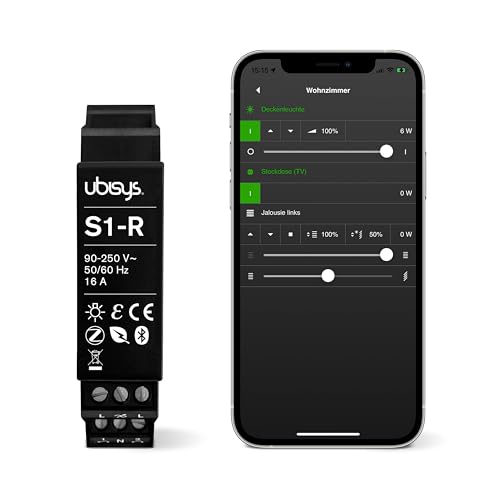
Ubisys S1-R Schalter
S1-RZigbee-Schalter von Ubisys. Kompatibel mit Home Assistant über Zigbee2MQTT oder deCONZ.
Läuft mit
dCZ
DIY ptvo.switch Schalter
ptvo.switchZigbee-Schalter von DIY. Kompatibel mit Home Assistant über Zigbee2MQTT, deCONZ, Tasmota oder ZHA. Läuft außerdem mit Do…
Läuft mit
ZHAdCZDOM
iolloi ID-EU20FW09 Dimmer
ID-EU20FW09Zigbee-Dimmer von iolloi. Kompatibel mit Home Assistant über Zigbee2MQTT, deCONZ oder ZHA. Läuft außerdem mit Domoticz.
Läuft mit
ZHAdCZDOM
Lädt …