
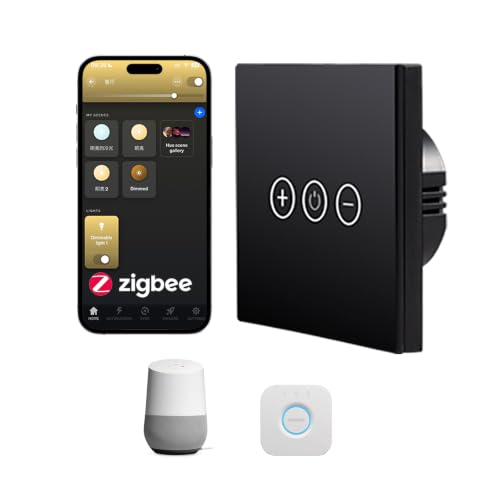
Zigbee-Dimmer von Bilisty. Kompatibel mit Home Assistant über Zigbee2MQTT.
Kompatibel mit Home Assistant und Zigbee2MQTT.
- Hersteller
- Bilisty
- Modell
- ZRD-W
- Modell-ID
- gq8b1uv
Wo kaufen
Bilisty
Bilisty Zigbee Touch-Lichtdimmer, kein Neutraldraht, kompatibel mit Standard-Zigbee-Hubs, SmartThings, Hubitat, Echo, für 200 W LED und Halogen, Schwarz
1 Angebot
| Shop | Angebot | Preis | Versand | Lieferzeit | Zum Shop |
|---|---|---|---|---|---|

|
Bilisty Zigbee Touch-Lichtdimmer, kein Neutraldraht, intelligente Fernbedienung, kompatibel mit Standard-Zigbee-Hubs, SmartThings, Hubitat, Echo, 200 W LED und Halogen, Schwarz | Preis nicht aktuell | Auf Lager | Aktuellen Preis ansehen bei Amazon.de |
Anzeige * Affiliate-Link: Kaufst du über diesen Link, erhalten wir eine Provision. Für dich entstehen keine Mehrkosten.
Als Amazon-Partner verdiene ich an qualifizierten Verkäufen.
Kompatibilität
WLAN
| Integration | Status | Seit | Hinweise |
|---|---|---|---|
| Home Assistant | Läuft | — | über Zigbee2MQTT |
Zigbee
| Integration | Status | Seit | Hinweise |
|---|---|---|---|
| Zigbee2MQTT | Läuft | — | — |
Etwas falsch oder unvollständig? Erfahrung melden
Einrichtung & Anlernen
- Go to Settings → Devices & services → Add integration and search for Bilisty.
- Follow the config flow – devices on the same network are usually discovered automatically.
- Open Zigbee2MQTT → Settings → Permit join (or enable joining for a specific coordinator/router).
- Put Bilisty ZRD-W Dimmer into pairing mode: den Reset laut Bedienungsanleitung durchführen (meist die Taste etwa 5 Sekunden halten).
- Watch the Zigbee2MQTT log – the device shows up with the model ID
gq8b1uv. - Rename the device to a friendly name; entities are exposed to MQTT/Home Assistant automatically.
Alternativen
Dieselbe Aufgabe von anderen Herstellern – Geräte desselben Typs und Funkstandards, die ebenfalls mit Home Assistant laufen.
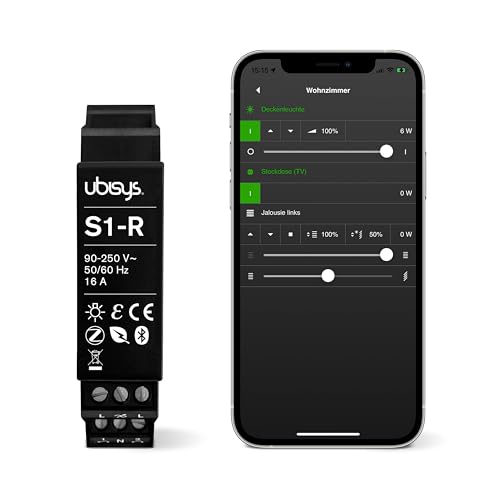
Ubisys S1-R Schalter
S1-RZigbee-Schalter von Ubisys. Kompatibel mit Home Assistant über Zigbee2MQTT oder deCONZ.
DIY ptvo.switch Schalter
ptvo.switchZigbee-Schalter von DIY. Kompatibel mit Home Assistant über Zigbee2MQTT, deCONZ, Tasmota oder ZHA. Läuft außerdem mit Do…
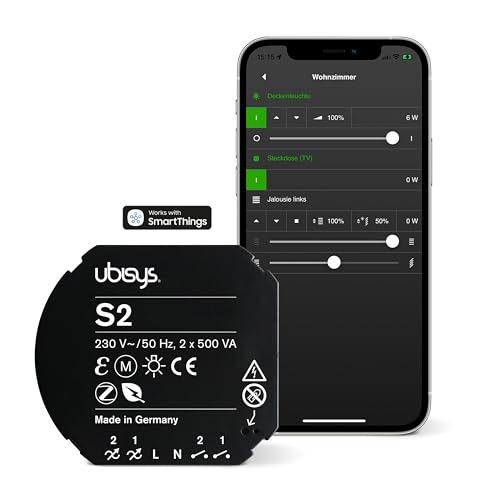
Ubisys S2 Schalter
S2Zigbee-Schalter von Ubisys. Kompatibel mit Home Assistant über Zigbee2MQTT oder deCONZ.
iolloi ID-EU20FW09 Dimmer
ID-EU20FW09Zigbee-Dimmer von iolloi. Kompatibel mit Home Assistant über Zigbee2MQTT, deCONZ oder ZHA. Läuft außerdem mit Domoticz.