
One of the most important functions for Unraid still has to be added in the form of a plugin: the Community Applications plugin, an app store for Docker containers and plugins.
With the help of the Community Applications plugin for Unraid, you can install an ever-growing selection of apps and Docker containers with just two clicks and a few settings.
Install the Community Applications plugin
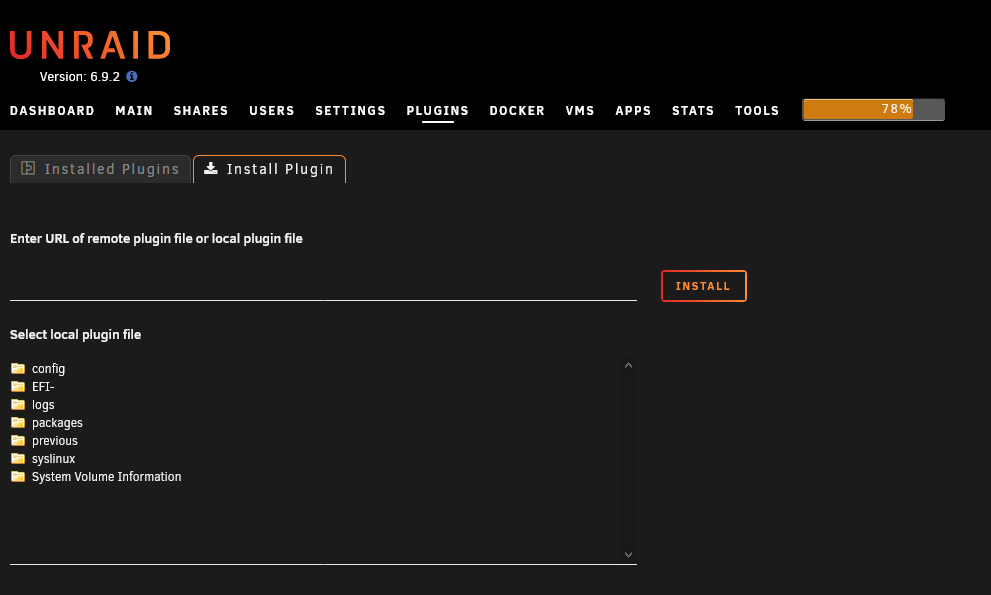
https://raw.githubusercontent.com/Squidly271/community.applications/master/plugins/community.applications.plg- In the web interface of your Unraid server, navigate to “Plugins” and then “Install”.
- Enter the URL of the plugin (shown above) into the field “Enter URL of remote plugin file or local plugin file”.
- With a click on “Install” the plugin will be installed.
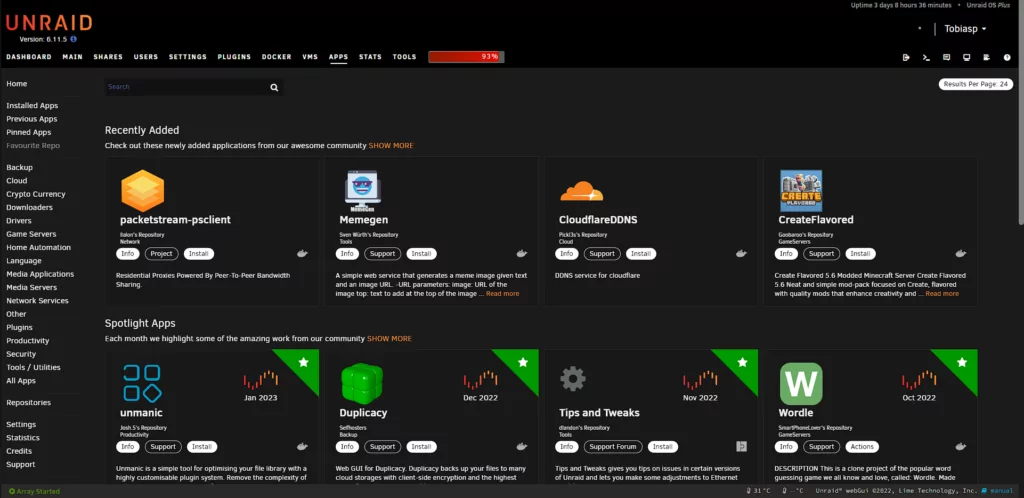
If Community Applications has been installed successfully, a new item called “Apps” appears in the menu. There you can find all kinds of programs in the form of Docker containers or other plugins. Note that the error Download Failure: Network Failure may also appear.
On the left side, you can sort the apps according to different categories.
Install an App / Docker
To install an app, simply select it from the list or search for it in the search bar at the top right. Once you have found the app of your choice, click on the download button. A window opens where you can make some settings. These differ depending on the container or the software inside this Docker. If you don’t know which settings you have to make for a Docker container, just search for them here on this page.
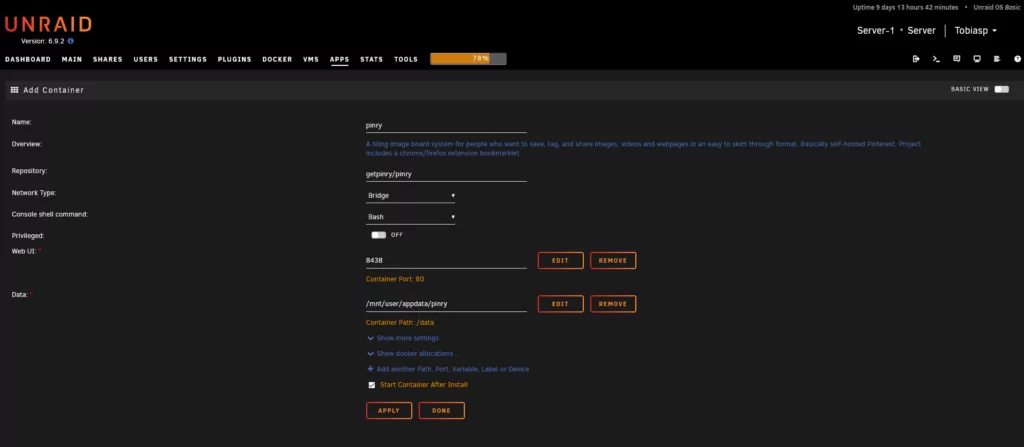
Once you have made your settings, you just have to press “Apply” and the Docker container will be downloaded and started.