
When creating offline files, Windows normally stores them under C:\Windows\CSC. However, if you use a small SSD or small system partitions, you will quickly run into problems. In that case there is no other choice than to put the files on another partition.
With this function, Windows 10 makes the data of a network drive available even when the device has no internet or access to the network drive.
If an offline file synchronization already exists, it must be disconnected beforehand. The disconnection is done the same way as the creation: right-click the corresponding folder and deactivate “Always available offline”.
Search for “Regedit” in the search box in the taskbar and run the program. Then select the path [HKEY_LOCAL_MACHINE\SYSTEM\CurrentControlSet\services\CSC\Parameters] in the selection box.
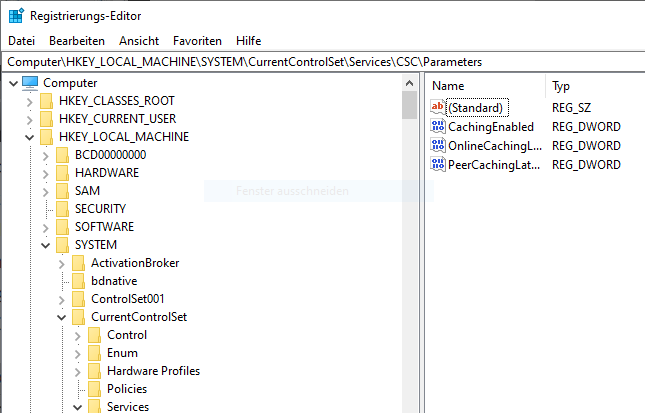
There, use “New” to create a string value with the name “CacheLocation”. Then right-click it, choose “Modify” and enter the new path in NT format. So “H:\Media” becomes “\??\h:\Media”.
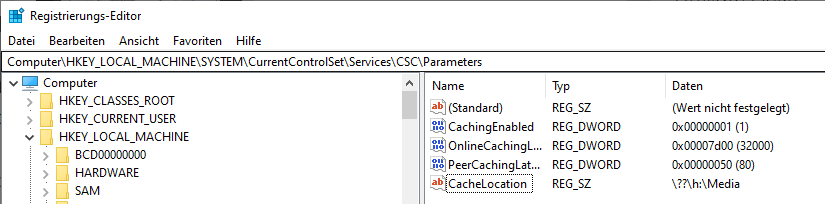
Now the computer must be restarted. Do not create the specified directory beforehand – Windows takes care of that on its own. This also lets you verify that it worked: if a folder with that name was created under the specified path, everything is working as intended.