
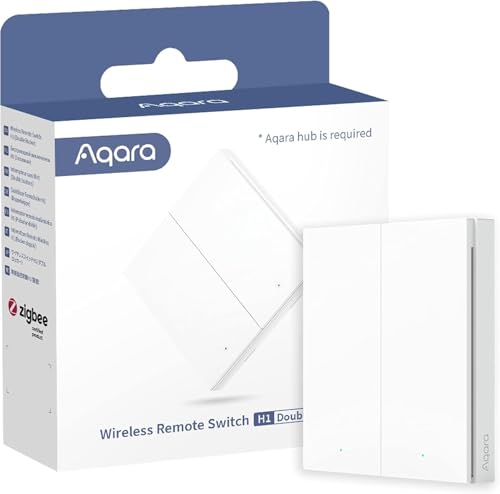
Aqara WRS-R02 in Home Assistant
Buttons & remotes · Zigbee · Wireless remote switch H1 (double rocker)
This device is known to both Zigbee integrations: Zigbee2MQTT has a definition for it, and ZHA has a quirk that adapts it.
Facts about this device
- Brand
- Aqara
- Model
- WRS-R02
- Device type
- Buttons & remotes
- Radio
- Zigbee
- Power
- Battery
- Same device as
- Aqara WXKG15LM
- Zigbee2MQTT
- Device page on zigbee2mqtt.io
Where to buy
Aqara
Aqara H1 Smarter Schalter mit Zigbee-Verbindung
4 offers
| Shop | Offer | Price | Shipping | Delivery | Go to shop |
|---|---|---|---|---|---|

|
Best price Aqara Wireless Remote Switch H1 Double Rocker | € 21,30 | Shipping € 4,99 Total € 26,29 | 1-3 Days | View offer at Proshop.de |

|
Aqara Wireless Remote Switch H1 - Smarter kabelloser Doppelschalter - Weiß - Zubehör |
€ 22,95
|
Shipping € 4,95 Total € 27,90 | In stock | View offer at tink.de |
|
|
Aqara Wireless Remote Switch H1 - Kabelloser Doppelschalter - 3er-Set - Zubehör |
€ 55,95
3 pieces · € 20,30 each
|
Shipping € 4,95 Total € 60,90 | In stock | View offer at tink.de |

|
Aqara Drahtloser Fernschalter H1, Zigbee-Verbindung | Benötigt Aqara Hub, konfigurierbare Fernbedienung mit 7 Funktionen, keine Installation, kompatibel mit Apple HomeKit & IFTTT | Price out of date | Auf Lager | Check current price at Amazon.de |
Ad * Affiliate link: if you buy through this link, we earn a commission at no extra cost to you.
Prices incl. VAT, plus shipping. Last updated: novembro 4, 2026, 2:55 pm. Prices and availability may have changed.
As an Amazon Associate I earn from qualifying purchases.
How the device gets into Home Assistant
- official ZHA – with a Zigbee coordinator and the ZHA integration; the quirk the device needs is part of ZHA.
- official Aqara hub – paired with an Aqara hub that works as a Matter bridge (such as the M3 or M2), which shares supported devices with Home Assistant.
- add-on Zigbee2MQTT – Zigbee2MQTT runs as an add-on and passes the device on to Home Assistant over MQTT.
Known problems and fixes
Requests for ZHA support
- support requested Someone asked ZHA to support this device or one of its functions.
ZHA quirks for this device
Quirk included in ZHA Recommended quirk
Part of ZHA – Home Assistant uses it on its own, nothing to install.
Adds: Click mode Operation mode
Source:
zha-device-handlers · since zha-quirks 2.2.2
Signature: LUMI / lumi.remote.b28ac1
1 more quirk for this device
-
Quirk proposed, not merged yet
LUMI/lumi.remote.b28ac1zha-device-handlers · pull request #5484 · by @zigpy-review-bot · 20 de outubro de 2026
Alternatives
The same job from other makers – devices of the same type and radio that work with Home Assistant too.
-
Nedis ZBRC10WT Buttons & remotes · Zigbee, Wi-Fi · Security remote control Zigbee2MQTT Tuya Local (HACS) Custom quirk needed Review
-
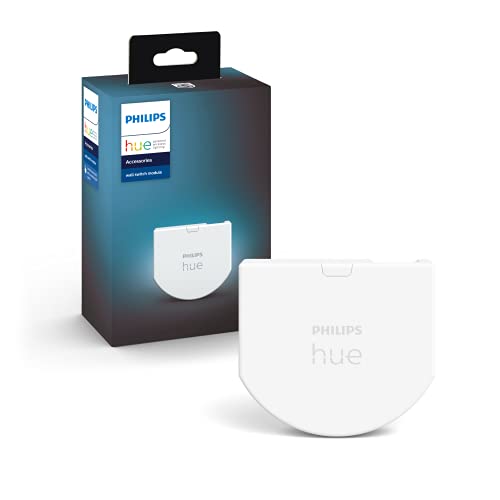 Philips 929003017102
Buttons & remotes · Zigbee · Hue wall switch module
Zigbee2MQTT
ZHA quirk
3 open reports
Review
Philips 929003017102
Buttons & remotes · Zigbee · Hue wall switch module
Zigbee2MQTT
ZHA quirk
3 open reports
Review
-
Innr RC 250 Buttons & remotes · Zigbee · Remote control Zigbee2MQTT 1 open report Review
-
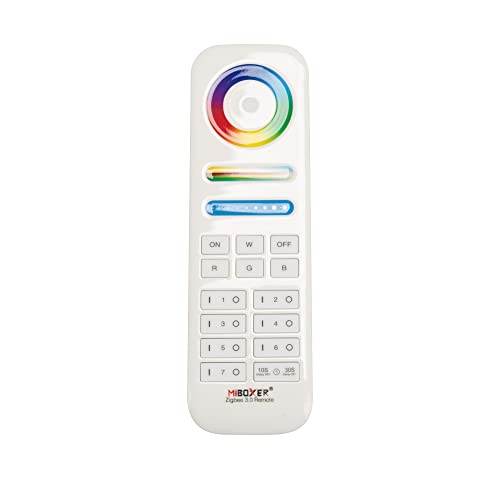 MiBoxer FUT089Z
Buttons & remotes · Zigbee · RGB+CCT Remote
Zigbee2MQTT
Custom quirk needed
1 open report
Review · from 29,91 €
MiBoxer FUT089Z
Buttons & remotes · Zigbee · RGB+CCT Remote
Zigbee2MQTT
Custom quirk needed
1 open report
Review · from 29,91 €
Sources: Zigbee2MQTT, ZHA quirks, Z-Wave JS, the Matter certification database, Shelly, ESPHome, Tasmota, Tuya Local and the issue trackers on GitHub. Reports are assigned to a device by the identifiers they contain; the sentences come from the integration pages, where a language model writes them from the titles.